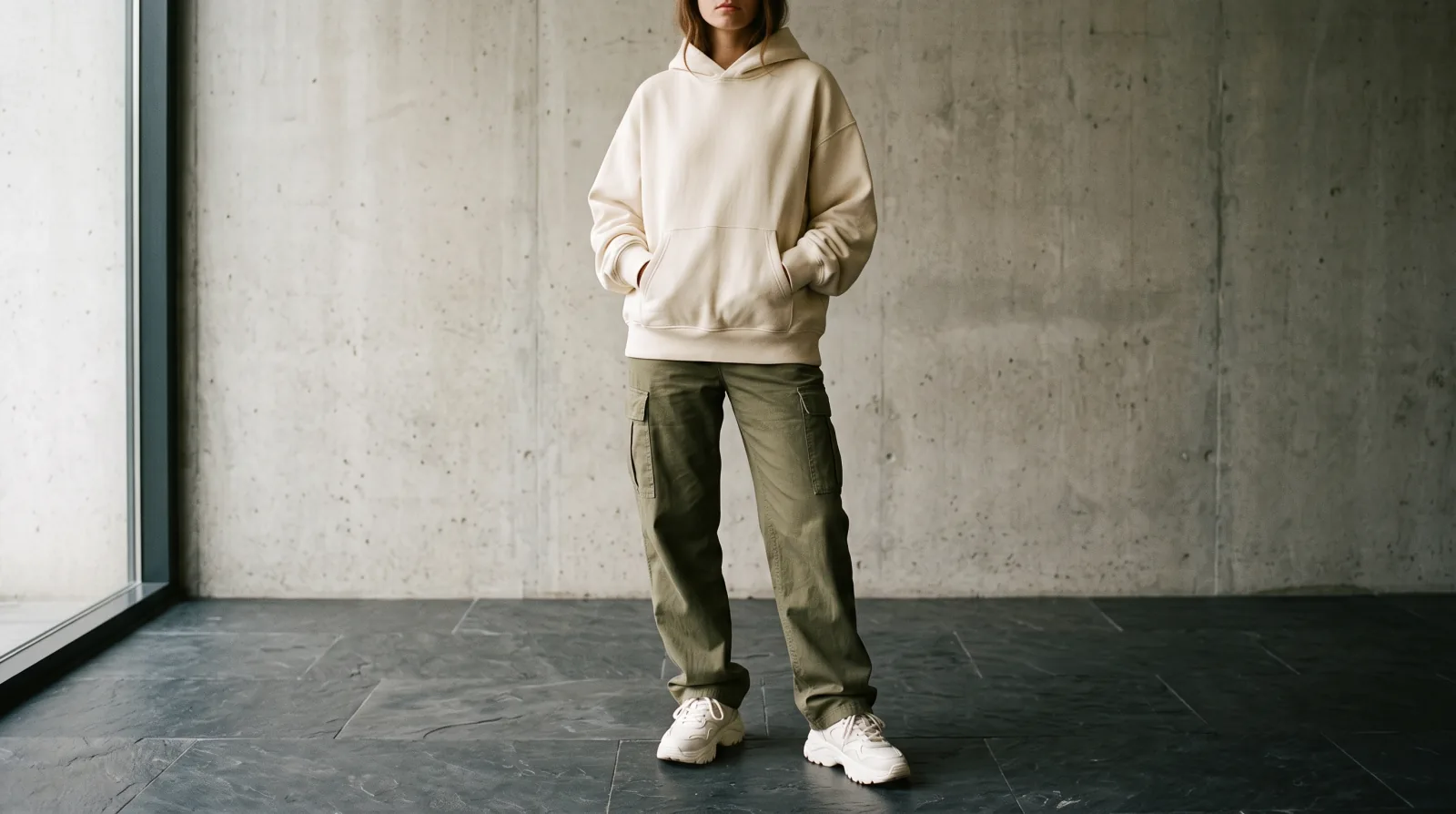
Most people upload a photo, tap the first item, buy or do not buy, and close the tab. That leaves seven garments on the table.
One upload returns up to eight items. Here is how to use all of them.
How do you frame a whole outfit?
Snagfit can only find what is in the picture. That sounds obvious and it is the mistake almost everyone makes.
A photo cropped at the waist returns tops and outerwear. No shoes, no bag, no trousers, because none of those are in the frame. If you want the whole look, include the whole figure, head to shoes.
It is completely normal to need two frames for one outfit. One wide shot for the overall pieces, one tighter shot for the shoes or the bag if they were too small to read in the first.
Why read the whole list before tapping anything?
Detection runs once for the entire photo. The shopping search runs per item, only when you tap Snag it.
So reading the list costs you nothing. You get eight garment names, each with a category, a colour and a note on the material or cut, before a single shop has been searched.
Read all of them. Then decide.
What does the order of the list tell you?
Snagfit returns the most prominent items first. That ordering is useful.
The pieces at the top are the ones doing the most visual work in that photo. If you are only buying one thing, it is almost always in the first two.
The pieces at the bottom are usually small accessories, and they are often the cheapest to substitute with something you already own.
Which pieces actually carry the look?
This is the part that saves you money.
Most outfits depend on two pieces. The oversized coat and the boots. The particular shade of the knit and the trousers. Everything else is filler that could be swapped for a plain version and nobody would notice.
Work down the list and ask, for each item: if I replaced this with a plain version from my own wardrobe, would the outfit still read the same? The answers tell you where to spend.
Which pieces should you spend on?
Two rough guides, and they are only guides.
Buy well on the largest piece and the one nearest your face. Usually that is the coat or the top. Those are what people see from a distance and in a conversation.
Do not cheap out on shoes. Worn or badly made shoes are visible across a room, and they are the item that ruins an otherwise good outfit fastest.
Everything in between is fair game for a cheaper substitute.
Should you check your own wardrobe first?
You have the garment names now, in plain English. Use them.
Go through the list and mark what you already own something close to. A "black ribbed crew neck knit" is a thing most people already have a version of. There is no point buying a second one because it appeared in a screenshot.
This is also why uploading a photo of your own clothes works. It is a normal way to find a replacement for something worn out, and the search runs exactly the same.
In what order should you search the pieces?
There is an order that saves time, and it is not top to bottom.
Start with the piece you cannot substitute. Usually the one that made you screenshot the photo in the first place. If you cannot find a version of that you are happy with, the rest of the exercise may not be worth doing.
Then the largest remaining item. Size in the frame correlates well with how much the piece affects the overall look.
Then anything unusual. A distinctive bag, an odd colour, a specific boot. These are the pieces that make an outfit look assembled rather than generic.
Leave the basics until last. The plain knit, the white tee, the black trouser. You likely own something close, and searching for them first is how people end up buying a fourth black crew neck.
Why upload two photos of the same outfit?
One frame rarely contains everything well.
A wide shot gets the whole outfit but makes every individual piece small. A tight shot gets one piece in detail but loses the rest.
So take both. Run the wide one to get the complete list of garments, then run a tight crop of whichever one or two pieces you actually intend to buy. The wide search tells you what is there. The tight search gives you a good enough description to shop.
This matters most for shoes and bags, which are almost always too small in a full-body frame to describe well, and which have posts of their own on shoes and bags.
Will the pieces actually work together?
Snagfit tells you what each garment is. It does not tell you whether the outfit will work on you, and that is worth thinking about before buying five things.
The outfit in the photo works partly because of the person wearing it: their proportions, their colouring, how the pieces were fitted. Buying the same five items does not transfer that automatically.
Two questions that help. Does the shape suit how you actually dress, or does it only look good in that one photo? And would you wear the defining piece on an ordinary day, or only in the situation the photo was taken in?
If the answer to either is no, buy the one piece you liked and leave the rest.
Is the list useful if you buy nothing?
The garment names are the useful output even when you close the tab.
Every name is plain English you can paste anywhere: a retailer's own search, a resale app, a normal search engine. A list of five accurately named garments is a shopping list you can work through slowly at whatever price level suits you.
It is also a way to learn what things are called. Knowing the difference between a camp collar and a spread collar, or a crew neck and a mock neck, makes every future search you run better, because you can describe what you want in words without needing a photo at all.
How do saved fits build a wardrobe over time?
The version of this that pays off over months rather than in one session.
Every search you run is saved, so a camera roll of outfits you liked slowly turns into a list of named garments you wanted. Read across several of those saved fits and a pattern usually appears: the same silhouette keeps coming up, the same two or three colours, the same length of coat.
That pattern is more useful than any individual outfit. It tells you what you actually like, as opposed to what looked good on one person in one photo.
Buy against the pattern rather than against a single screenshot. A coat shape you have saved five times is a safe purchase. A piece you liked once in a video at eleven at night usually is not.
It also stops the most expensive habit in online shopping, which is buying a complete look on impulse and wearing two pieces of it. Working from a list you built over weeks is slower and much cheaper.
Who checks the size and the fit?
Snagfit identifies the garment. It has nothing to say about whether it will fit you, and sizing varies enormously between brands and countries.
When you reach the retailer's page, read their own size guidance and any buyer notes on whether the piece runs large or small. On an oversized garment this matters more than usual, because the intended fit is already loose and one size up becomes a tent.
For anything you are unsure about, the shop with the easier returns policy is usually worth more than the one that is cheaper, which is part of checking out an unfamiliar retailer.
What if the exact pieces are gone?
Frequently, and it matters less on a full outfit than on a single item.
Nobody looking at you can tell whether your coat is the same brand as the one in the photo. They can tell whether the shape and the colour are right. On a whole look, a close match usually does the job, which is a different situation from hunting one specific piece.